Xbase++ Requires Chilkat v11.0.0+
Xbase++
Generate an RSA Key and Save to Encrypted PEM
See more RSA Examples
Demonstrates how to generate an RSA key and save to an encrypted PEM file.Chilkat Xbase++ Downloads
LOCAL nSuccess
LOCAL oRsa
LOCAL oPrivKey
LOCAL cPassword
LOCAL cPath
LOCAL oPubKey
LOCAL nPreferPkcs1
nSuccess := 0
oRsa := CreateObject("Chilkat.Rsa")
// Generate a 2048-bit key.
oPrivKey := CreateObject("Chilkat.PrivateKey")
nSuccess := oRsa:GenKey(2048, oPrivKey)
IF (nSuccess == 0)
? oRsa:LastErrorText
oRsa:destroy()
oPrivKey:destroy()
RETURN
ENDIF
cPassword := "secret"
// Saving to a relative path (from the current working directory of the process).
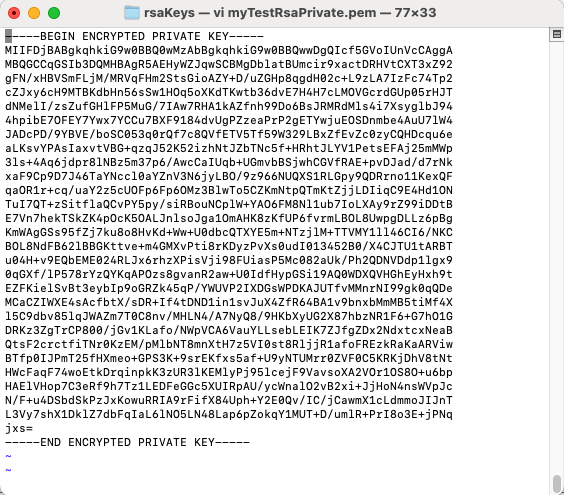
cPath := "rsaKeys/myTestRsaPrivate.pem"
// Encrypt the PEM using 256-bit AES encryption.
oPrivKey:Pkcs8EncryptAlg := "aes256"
nSuccess := oPrivKey:SavePkcs8EncryptedPemFile(cPassword, cPath)
IF (nSuccess == 0)
? oPrivKey:LastErrorText
oRsa:destroy()
oPrivKey:destroy()
RETURN
ENDIF
//  // We can also save the public key.
// There is no need to encrypt public keys.
oPubKey := CreateObject("Chilkat.PublicKey")
oPrivKey:ToPublicKey(oPubKey)
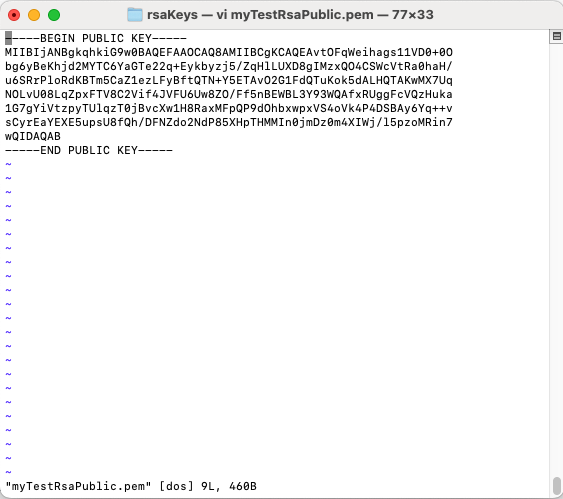
cPath := "rsaKeys/myTestRsaPublic.pem"
// Choose PKCS1 or PKCS8
// We'll choose PKCS8.
nPreferPkcs1 := 0
nSuccess := oPubKey:SavePemFile(nPreferPkcs1, cPath)
IF (nSuccess == 0)
? oPubKey:LastErrorText
oRsa:destroy()
oPrivKey:destroy()
oPubKey:destroy()
RETURN
ENDIF
//
// We can also save the public key.
// There is no need to encrypt public keys.
oPubKey := CreateObject("Chilkat.PublicKey")
oPrivKey:ToPublicKey(oPubKey)
cPath := "rsaKeys/myTestRsaPublic.pem"
// Choose PKCS1 or PKCS8
// We'll choose PKCS8.
nPreferPkcs1 := 0
nSuccess := oPubKey:SavePemFile(nPreferPkcs1, cPath)
IF (nSuccess == 0)
? oPubKey:LastErrorText
oRsa:destroy()
oPrivKey:destroy()
oPubKey:destroy()
RETURN
ENDIF
//  ? "Success."
oRsa:destroy()
oPrivKey:destroy()
oPubKey:destroy()
? "Success."
oRsa:destroy()
oPrivKey:destroy()
oPubKey:destroy()