React Native Requires Chilkat v11.7.0+
React Native
Generate a QR Code as SVG
See more QR Code Examples
Demonstrates SVG output. An SVG is a vector image, so it stays sharp at any size, which suits print and responsive web pages. Setting output.format to svg and output.return to text returns the SVG document as a string in outputs[0].text. The SVG can also be written straight to a file with output.path, the same as a PNG.Chilkat React Native Downloads
import { Formats, JsonObject, StringBuilder } from '@chilkat/react-native'
function chilkatExample() {
// This example requires the Chilkat API to have been previously unlocked.
// See Global Unlock Sample for sample code.
const json = new JsonObject();
json.updateString('payload.text', 'https://www.chilkatsoft.com/');
json.updateString('output.format', 'svg');
// An SVG is text, so it can be returned as text rather than as base64.
json.updateString('output.return', 'text');
const fmt = new Formats();
const jsonOut = new JsonObject();
try {
fmt.qrCode('generate', json, jsonOut);
} catch {
console.log(fmt.lastErrorText);
return;
}
const sbSvg = new StringBuilder();
jsonOut.stringOfSb('outputs[0].text', sbSvg);
console.log(`MIME type: ${jsonOut.stringOf('outputs[0].mimeType')}`);
console.log(`size: ${jsonOut.intOf('outputs[0].width')} x ${jsonOut.intOf('outputs[0].height')} ${jsonOut.stringOf('outputs[0].units')}`);
console.log(`SVG length: ${sbSvg.length} characters`);
// The SVG is a complete document that can be saved, or placed inline in an HTML page.
try {
sbSvg.writeFile('qa_output/qr_chilkat.svg', 'utf-8', false);
} catch {
console.log(sbSvg.lastErrorText);
return;
}
// The SVG:
// 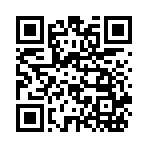 // Sample output:
// MIME type: image/svg+xml
// size: 148 x 148 px
// SVG length: 12500 characters
}