PowerBuilder Requires Chilkat v11.7.0+
PowerBuilder
Split Data across Several QR Codes (Structured Append)
See more QR Code Examples
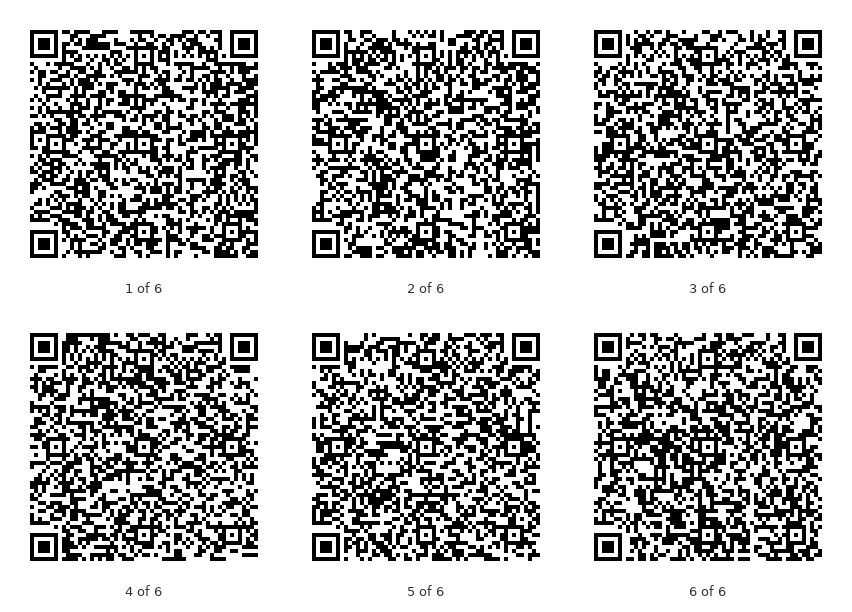
Demonstrates structured append, the QR feature for data too large for one symbol of the size wanted. The data is divided over up to 16 symbols, and each carries its position, the total, and a parity byte that ties the set together. With encoding.structuredAppend.enabled, QrCode uses as few symbols as it can. output.pathTemplate writes one file per symbol, with {index} replaced by 1, 2, 3 and so on. The reader must support structured append to put the parts back together. Many phone camera apps do not, and show each part separately.Chilkat PowerBuilder Downloads
integer li_rc
long li_Success
oleobject loo_SbText
long i
oleobject loo_Json
oleobject loo_Fmt
oleobject loo_JsonOut
long li_NumSymbols
li_Success = 0
// This example requires the Chilkat API to have been previously unlocked.
// See Global Unlock Sample for sample code.
// Some text that is too long for one symbol of the size allowed below.
loo_SbText = create oleobject
li_rc = loo_SbText.ConnectToNewObject("Chilkat.StringBuilder")
if li_rc < 0 then
destroy loo_SbText
MessageBox("Error","Connecting to COM object failed")
return
end if
for i = 1 to 20
loo_SbText.Append("Line ")
loo_SbText.AppendInt(i)
loo_SbText.AppendLine(" of a message that is too long for one small QR code.",1)
next
loo_Json = create oleobject
li_rc = loo_Json.ConnectToNewObject("Chilkat.JsonObject")
loo_Json.UpdateSb("payload.text",loo_SbText)
// Keep each symbol small (version 10 is 57 modules wide) and allow a set of symbols.
loo_Json.UpdateInt("encoding.qr.maxVersion",10)
loo_Json.UpdateBool("encoding.structuredAppend.enabled",1)
// One file for each symbol: qr_part_1.png, qr_part_2.png, ...
loo_Json.UpdateString("output.pathTemplate","qa_output/qr_part_{index}.png")
loo_Json.UpdateBool("output.overwrite",1)
loo_Json.UpdateString("output.return","none")
loo_Fmt = create oleobject
li_rc = loo_Fmt.ConnectToNewObject("Chilkat.Formats")
loo_JsonOut = create oleobject
li_rc = loo_JsonOut.ConnectToNewObject("Chilkat.JsonObject")
li_Success = loo_Fmt.QrCode("generate",loo_Json,loo_JsonOut)
if li_Success = 0 then
Write-Debug loo_Fmt.LastErrorText
destroy loo_SbText
destroy loo_Json
destroy loo_Fmt
destroy loo_JsonOut
return
end if
Write-Debug "text length: " + string(loo_SbText.Length)
li_NumSymbols = loo_JsonOut.SizeOfArray("symbols")
Write-Debug "symbols: " + string(li_NumSymbols)
for i = 0 to li_NumSymbols - 1
loo_JsonOut.I = i
// structuredAppend.index counts from 0.
Write-Debug loo_JsonOut.StringOf("outputs[i].path") + ": symbol " + string((loo_JsonOut.IntOf("symbols[i].structuredAppend.index") + 1)) + " of " + string(loo_JsonOut.IntOf("symbols[i].structuredAppend.total")) + ", version " + string(loo_JsonOut.IntOf("symbols[i].selectedEncoding.version")) + ", " + string(loo_JsonOut.IntOf("symbols[i].payloadBytes")) + " bytes"
next
// Every symbol of a set carries the same parity byte, which is how a reader knows they belong together.
Write-Debug "parity: " + string(loo_JsonOut.IntOf("symbols[0].structuredAppend.parity"))
// The six symbols:
//  // Sample output:
// text length: 1231
// symbols: 6
// qa_output/qr_part_1.png: symbol 1 of 6, version 10, 206 bytes
// qa_output/qr_part_2.png: symbol 2 of 6, version 10, 205 bytes
// qa_output/qr_part_3.png: symbol 3 of 6, version 10, 205 bytes
// qa_output/qr_part_4.png: symbol 4 of 6, version 10, 205 bytes
// qa_output/qr_part_5.png: symbol 5 of 6, version 10, 205 bytes
// qa_output/qr_part_6.png: symbol 6 of 6, version 10, 205 bytes
// parity: 50
destroy loo_SbText
destroy loo_Json
destroy loo_Fmt
destroy loo_JsonOut