PowerBuilder Requires Chilkat v11.7.0+
PowerBuilder
QR Codes for Email, Phone, SMS and Location
See more QR Code Examples
Demonstrates QR codes that start an action on a phone. A QR code only holds text, and what happens on scanning depends on the form of that text: mailto: starts an email, tel: dials a number, SMSTO: starts a text message, and geo: opens a map at a latitude and longitude. A web address opens in the browser.Chilkat PowerBuilder Downloads
integer li_rc
long li_Success
oleobject loo_Fmt
oleobject loo_Json
oleobject loo_JsonOut
li_Success = 0
// This example requires the Chilkat API to have been previously unlocked.
// See Global Unlock Sample for sample code.
loo_Fmt = create oleobject
li_rc = loo_Fmt.ConnectToNewObject("Chilkat.Formats")
if li_rc < 0 then
destroy loo_Fmt
MessageBox("Error","Connecting to COM object failed")
return
end if
loo_Json = create oleobject
li_rc = loo_Json.ConnectToNewObject("Chilkat.JsonObject")
loo_JsonOut = create oleobject
li_rc = loo_JsonOut.ConnectToNewObject("Chilkat.JsonObject")
loo_Json.UpdateInt("render.moduleSize",6)
loo_Json.UpdateBool("output.overwrite",1)
loo_Json.UpdateString("output.return","none")
// An email, with the address and optionally a subject. Spaces in the subject are written %20.
loo_Json.UpdateString("payload.text","mailto:support@example.com?subject=Order%2012345")
loo_Json.UpdateString("output.path","qa_output/qr_email.png")
li_Success = loo_Fmt.QrCode("generate",loo_Json,loo_JsonOut)
if li_Success = 0 then
Write-Debug loo_Fmt.LastErrorText
destroy loo_Fmt
destroy loo_Json
destroy loo_JsonOut
return
end if
Write-Debug "email: version " + string(loo_JsonOut.IntOf("symbols[0].selectedEncoding.version")) + ", " + loo_JsonOut.StringOf("outputs[0].path")
//  // A phone number to dial, in international form.
loo_Json.UpdateString("payload.text","tel:+15555550100")
loo_Json.UpdateString("output.path","qa_output/qr_phone.png")
li_Success = loo_Fmt.QrCode("generate",loo_Json,loo_JsonOut)
if li_Success = 0 then
Write-Debug loo_Fmt.LastErrorText
destroy loo_Fmt
destroy loo_Json
destroy loo_JsonOut
return
end if
Write-Debug "phone: version " + string(loo_JsonOut.IntOf("symbols[0].selectedEncoding.version")) + ", " + loo_JsonOut.StringOf("outputs[0].path")
//
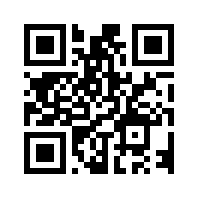 // A text message: the number, then the message.
loo_Json.UpdateString("payload.text","SMSTO:+15555550100:Please call me back")
loo_Json.UpdateString("output.path","qa_output/qr_sms.png")
li_Success = loo_Fmt.QrCode("generate",loo_Json,loo_JsonOut)
if li_Success = 0 then
Write-Debug loo_Fmt.LastErrorText
destroy loo_Fmt
destroy loo_Json
destroy loo_JsonOut
return
end if
Write-Debug "sms: version " + string(loo_JsonOut.IntOf("symbols[0].selectedEncoding.version")) + ", " + loo_JsonOut.StringOf("outputs[0].path")
//
 // A location: latitude, then longitude, in degrees.
loo_Json.UpdateString("payload.text","geo:41.8781,-87.6298")
loo_Json.UpdateString("output.path","qa_output/qr_location.png")
li_Success = loo_Fmt.QrCode("generate",loo_Json,loo_JsonOut)
if li_Success = 0 then
Write-Debug loo_Fmt.LastErrorText
destroy loo_Fmt
destroy loo_Json
destroy loo_JsonOut
return
end if
Write-Debug "location: version " + string(loo_JsonOut.IntOf("symbols[0].selectedEncoding.version")) + ", " + loo_JsonOut.StringOf("outputs[0].path")
//
 // Sample output:
// email: version 4, qa_output/qr_email.png
// phone: version 2, qa_output/qr_phone.png
// sms: version 3, qa_output/qr_sms.png
// location: version 2, qa_output/qr_location.png
destroy loo_Fmt
destroy loo_Json
destroy loo_JsonOut