PHP Requires Chilkat v11.7.0+
Chilkat2 PHP
Generate a QR Code PNG in Memory
See more QR Code Examples
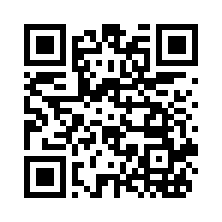
Demonstrates getting a QR code image without writing a file. With no output options the result is a PNG returned as base64 in outputs[0].base64 of the response. The example decodes it into a BinData, which holds the bytes of the PNG to send in an HTTP response, store in a database, attach to an email, or save.Chilkat PHP Downloads
<?php
use Chilkat2\BinData;
use Chilkat2\Formats;
use Chilkat2\JsonObject;
// This example requires the Chilkat API to have been previously unlocked.
// See Global Unlock Sample for sample code.
$json = new JsonObject();
$json->UpdateString('payload.text', 'https://www.chilkatsoft.com/');
$json->UpdateInt('render.moduleSize', 6);
$fmt = new Formats();
$jsonOut = new JsonObject();
try {
$fmt->QrCode('generate', $json, $jsonOut);
} catch (\Chilkat2\Exception $e) {
echo $e->getMessage(), "\n";
exit;
}
echo 'format: ', $jsonOut->StringOf('outputs[0].format'), "\n";
echo 'MIME type: ', $jsonOut->StringOf('outputs[0].mimeType'), "\n";
echo 'image: ', $jsonOut->IntOf('outputs[0].width'), ' x ', $jsonOut->IntOf('outputs[0].height'), " pixels\n";
// outputs[0].base64 is the PNG file, base64 encoded.
$bdPng = new BinData();
try {
$bdPng->AppendEncoded($jsonOut->StringOf('outputs[0].base64'), 'base64');
} catch (\Chilkat2\Exception $e) {
echo $e->getMessage(), "\n";
exit;
}
echo 'PNG bytes: ', $bdPng->NumBytes, "\n";
// The BinData holds the image. Here it is simply saved.
try {
$bdPng->WriteFile('qa_output/qr_in_memory.png');
} catch (\Chilkat2\Exception $e) {
echo $e->getMessage(), "\n";
exit;
}
// The PNG held in bdPng:
//  // Sample output:
// format: png
// MIME type: image/png
// image: 222 x 222 pixels
// PNG bytes: 877