PHP Requires Chilkat v11.4.0+
Chilkat2 PHP
AI Modify Existing Image with Text Prompt
See more AI Examples
Uses an AI text prompt and uploaded image data to modify an existing image and receive the modified output.Chilkat PHP Downloads
<?php
use Chilkat2\Ai;
use Chilkat2\BinData;
use Chilkat2\JsonObject;
// This example assumes the Chilkat API to have been previously unlocked.
// See Global Unlock Sample for sample code.
// Load the data from an existing image.
$bdImageData = new BinData();
try {
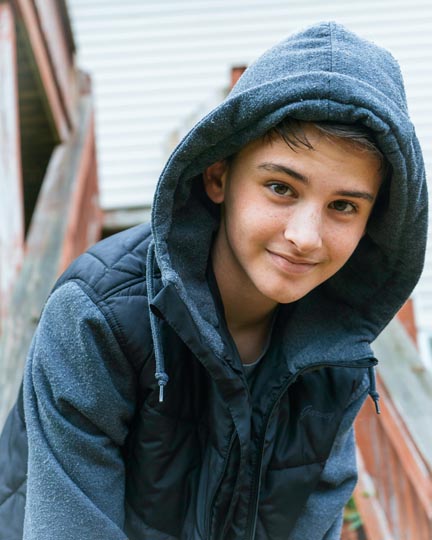
$bdImageData->LoadFile('qa_data/jpg/kid_blue_coat.jpg');
$ai = new Ai();
$ai->Provider = 'openai';
// Use your provider's API key.
$ai->ApiKey = 'MY_API_KEY';
// Choose a model.
$ai->Model = 'gpt-5.6-terra';
$askParams = new JsonObject();
$askParams->UpdateString('image.output_format', 'jpeg');
$ai->SetAskParams($askParams);
$ai->InputAddImageData($bdImageData, '');
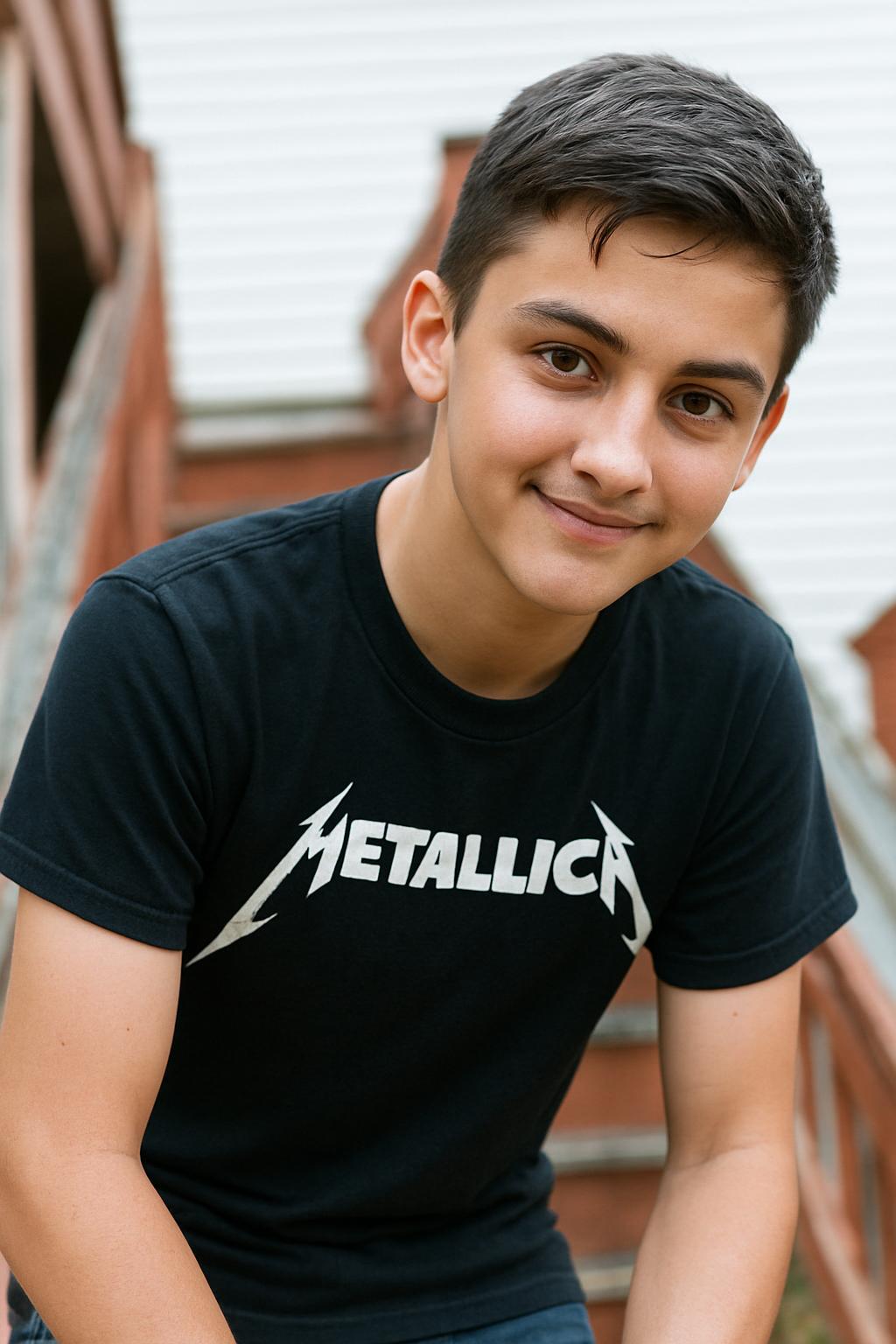
$ai->InputAddText('Modify the image by replacing the blue coat with a Metallica T-shirt.');
// Give the AI some time (2 minutes).
$ai->IdleTimeoutMs = 120000;
// Ask the AI for image output.
$ai->Ask('image');
// Get the image response data.;
$ai->GetOutputBd($bdImageData);
} catch (\Chilkat2\Exception $e) {
echo $e->getMessage(), "\n";
exit;
}
$bdImageData->WriteFile('c:/aaworkarea/out.jpg');
echo "Success.\n";
// -------------------------------
// Sample Input:
// -------------------------------
//  // -------------------------------
// Sample Output:
// -------------------------------
//