Lazarus Pascal Requires Chilkat v11.7.0+
Lazarus Pascal
Embed a QR Code in HTML as a Data URI
See more QR Code Examples
Demonstrates putting a QR code directly into an HTML page or HTML email with no separate image file. The base64 PNG returned by QrCode becomes the src of an img tag as a data URI, which is the MIME type from outputs[0].mimeType followed by the base64 from outputs[0].base64.Chilkat Lazarus Pascal Downloads
program ChilkatDemo;
// Demonstrates using the Chilkat Pascal wrapper via the C bridge DLL.
// Builds as a console application under Lazarus (FPC) or Delphi.
{$IFDEF FPC}
{$MODE DELPHI}
{$ENDIF}
{$APPTYPE CONSOLE}
uses
{$IFDEF UNIX}
cthreads,
{$ENDIF}
SysUtils,
CkDllLoader,
Chilkat.StringBuilder,
Chilkat.Formats,
Chilkat.JsonObject;
// ---------------------------------------------------------------------------
procedure RunDemo;
var
success: Boolean;
json: TJsonObject;
fmt: TFormats;
jsonOut: TJsonObject;
sbHtml: TStringBuilder;
begin
success := False;
// This example requires the Chilkat API to have been previously unlocked.
// See Global Unlock Sample for sample code.
json := TJsonObject.Create;
json.UpdateString('payload.text','https://www.chilkatsoft.com/');
json.UpdateInt('render.moduleSize',5);
fmt := TFormats.Create;
jsonOut := TJsonObject.Create;
success := fmt.QrCode('generate',json,jsonOut);
if (success = False) then
begin
WriteLn(fmt.LastErrorText);
Exit;
end;
// A data URI has the form data:<MIME type>;base64,<base64 data>
sbHtml := TStringBuilder.Create;
sbHtml.Append('<html><body><p>Scan to visit chilkatsoft.com</p><img alt="QR code" width="');
sbHtml.AppendInt(jsonOut.IntOf('outputs[0].width'));
sbHtml.Append('" height="');
sbHtml.AppendInt(jsonOut.IntOf('outputs[0].height'));
sbHtml.Append('" src="data:');
sbHtml.Append(jsonOut.StringOf('outputs[0].mimeType'));
sbHtml.Append(';base64,');
sbHtml.Append(jsonOut.StringOf('outputs[0].base64'));
sbHtml.Append('"></body></html>');
success := sbHtml.WriteFile('qa_output/qr_page.html','utf-8',False);
if (success = False) then
begin
WriteLn(sbHtml.LastErrorText);
Exit;
end;
WriteLn('image: ' + jsonOut.IntOf('outputs[0].width') + ' x ' + jsonOut.IntOf('outputs[0].height') + ' pixels');
WriteLn('HTML length: ' + sbHtml.Length);
// The page, as a browser shows it:
// 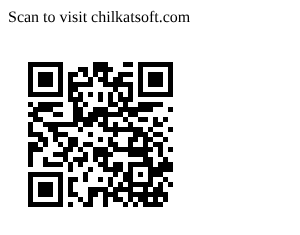 // Sample output:
// image: 185 x 185 pixels
// HTML length: 1211
json.Free;
fmt.Free;
jsonOut.Free;
sbHtml.Free;
end;
// ---------------------------------------------------------------------------
begin
try
RunDemo;
except
on E: Exception do
WriteLn('Unhandled exception: ', E.ClassName, ': ', E.Message);
end;
WriteLn;
{$IFDEF MSWINDOWS}
WriteLn('Press Enter to exit...');
ReadLn;
{$ENDIF}
end.