Delphi ActiveX Requires Chilkat v11.0.0+
Delphi ActiveX
Generate an RSA Key and Save to Encrypted PEM
See more RSA Examples
Demonstrates how to generate an RSA key and save to an encrypted PEM file.Chilkat Delphi ActiveX Downloads
var
success: Integer;
rsa: TChilkatRsa;
privKey: TPrivateKey;
password: WideString;
path: WideString;
pubKey: TPublicKey;
preferPkcs1: Integer;
begin
success := 0;
rsa := TChilkatRsa.Create(Self);
// Generate a 2048-bit key.
privKey := TPrivateKey.Create(Self);
success := rsa.GenKey(2048,privKey.ControlInterface);
if (success = 0) then
begin
Memo1.Lines.Add(rsa.LastErrorText);
Exit;
end;
password := 'secret';
// Saving to a relative path (from the current working directory of the process).
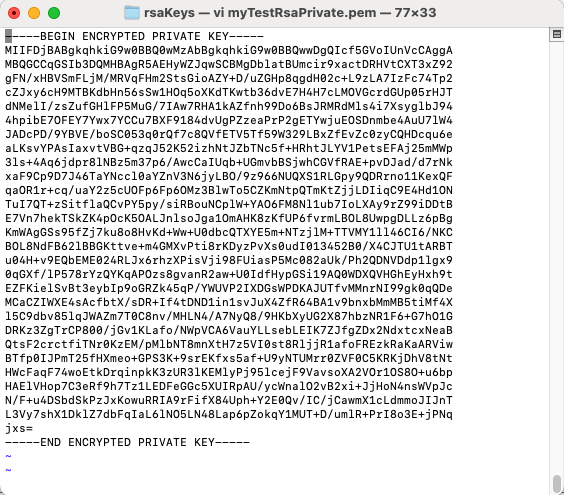
path := 'rsaKeys/myTestRsaPrivate.pem';
// Encrypt the PEM using 256-bit AES encryption.
privKey.Pkcs8EncryptAlg := 'aes256';
success := privKey.SavePkcs8EncryptedPemFile(password,path);
if (success = 0) then
begin
Memo1.Lines.Add(privKey.LastErrorText);
Exit;
end;
//  // We can also save the public key.
// There is no need to encrypt public keys.
pubKey := TPublicKey.Create(Self);
privKey.ToPublicKey(pubKey.ControlInterface);
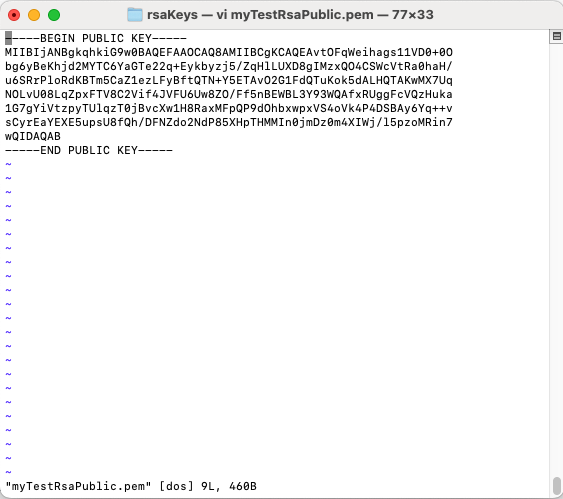
path := 'rsaKeys/myTestRsaPublic.pem';
// Choose PKCS1 or PKCS8
// We'll choose PKCS8.
preferPkcs1 := 0;
success := pubKey.SavePemFile(preferPkcs1,path);
if (success = 0) then
begin
Memo1.Lines.Add(pubKey.LastErrorText);
Exit;
end;
//
// We can also save the public key.
// There is no need to encrypt public keys.
pubKey := TPublicKey.Create(Self);
privKey.ToPublicKey(pubKey.ControlInterface);
path := 'rsaKeys/myTestRsaPublic.pem';
// Choose PKCS1 or PKCS8
// We'll choose PKCS8.
preferPkcs1 := 0;
success := pubKey.SavePemFile(preferPkcs1,path);
if (success = 0) then
begin
Memo1.Lines.Add(pubKey.LastErrorText);
Exit;
end;
//  Memo1.Lines.Add('Success.');