Delphi ActiveX
Delphi ActiveX
IBM Cloud Secrets - Create or Update a Secret
See more Secrets Examples
Demonstrates how to create or update a secret stored in the IBM Cloud Secrets.Note: This example requires Chilkat v10.1.0 or later.
Chilkat Delphi ActiveX Downloads
uses
Winapi.Windows, Winapi.Messages, System.SysUtils, System.Variants, System.Classes, Vcl.Graphics,
Vcl.Controls, Vcl.Forms, Vcl.Dialogs, Vcl.StdCtrls, Chilkat_TLB;
...
procedure TForm1.Button1Click(Sender: TObject);
var
success: Integer;
bootstrap: TChilkatSecrets;
bsId: TChilkatJsonObject;
secrets: TChilkatSecrets;
json: TChilkatJsonObject;
begin
success := 0;
// This example requires the Chilkat API to have been previously unlocked.
// See Global Unlock Sample for sample code.
// The bootstrap secret will contain the following information:
// IBM Cloud API Key
// See following examples for setting up a bootstrap secret in memory,
// or in the local manager (Windows Credentials Manager or Apple Keychain)
// Setup Bootstrap Secret in Local Manager
// Setup Bootstrap Secret in Memory
bootstrap := TChilkatSecrets.Create(Self);
// Set the location of the bootstrap secret.
// Can be "local_manager" or "memory", depending on how you setup the bootstrap secret.
// ---------------------------------------------------------------------------------------------
// If your operating system is NOT Windows or MacOS/iOS, then change "local_manager" to "memory"
// You can also, if desired, use "memory" on Windows and MacOS/iOS if your bootstrap secret was previously setup in memory.
// ---------------------------------------------------------------------------------------------
bootstrap.Location := 'local_manager';
// Specify the bootstrap secret to be used.
bsId := TChilkatJsonObject.Create(Self);
bsId.UpdateString('appName','ibm_bs');
bsId.UpdateString('service','Example');
bsId.UpdateString('username','Joe');
// ----------------------------------------------------
secrets := TChilkatSecrets.Create(Self);
secrets.Location := 'ibm_cloud';
success := secrets.SetBootstrapSecret(bsId.ControlInterface,bootstrap.ControlInterface);
if (success = 0) then
begin
Memo1.Lines.Add(secrets.LastErrorText);
Exit;
end;
// Let's create or update a secret in the IBM Cloud Secrets.
// (The secret is updated if it already exists.)
json := TChilkatJsonObject.Create(Self);
json.UpdateString('appName','Test');
json.UpdateString('service','Something');
json.UpdateString('domain','Xyz');
json.UpdateString('username','Abc');
// You'll also need to specify your IBM Cloud instance ID and region for each API call.
json.UpdateString('instance_id','a88a0c56-50a6-4461-9911-345b173e1171');
json.UpdateString('region','us-south');
// Create or update the secret.
success := secrets.UpdateSecretStr(json.ControlInterface,'This is the secret.');
if (success = 0) then
begin
Memo1.Lines.Add(secrets.LastErrorText);
Exit;
end;
Memo1.Lines.Add('Success.');
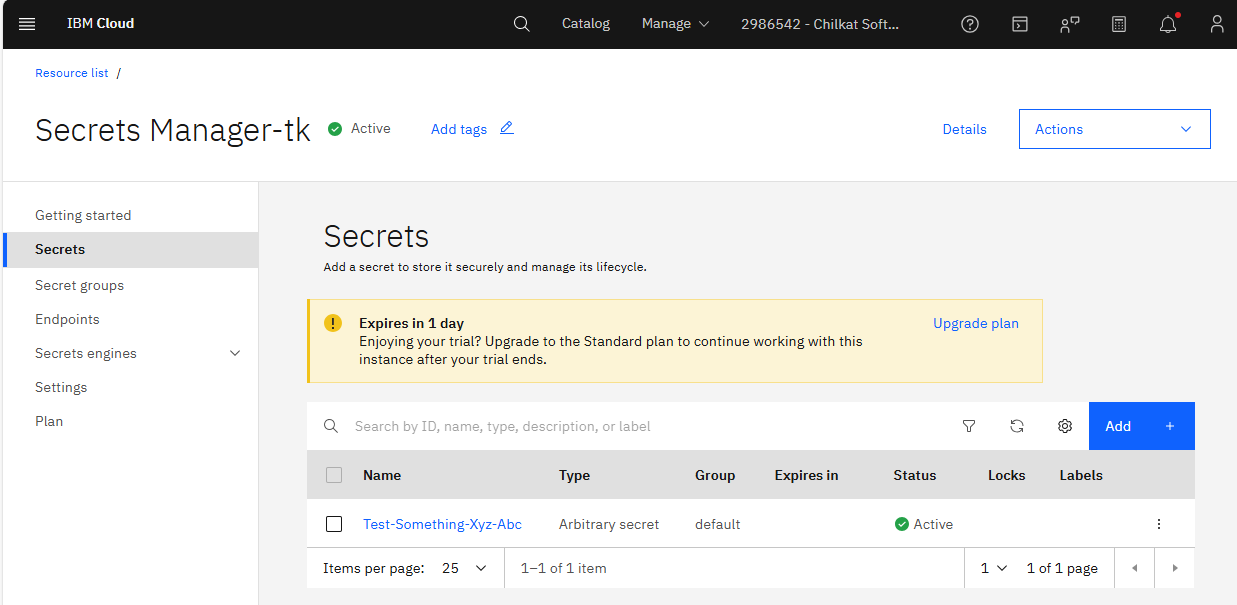
// Here you can see the secret that was created:
//  end;
end;