Android™ Requires Chilkat v11.0.0+
Android™
Generate an RSA Key and Save to Encrypted PEM
See more RSA Examples
Demonstrates how to generate an RSA key and save to an encrypted PEM file.Chilkat Android™ Downloads
// Important: Don't forget to include the call to System.loadLibrary
// as shown at the bottom of this code sample.
package com.test;
import android.app.Activity;
import com.chilkatsoft.*;
import android.widget.TextView;
import android.os.Bundle;
public class SimpleActivity extends Activity {
private static final String TAG = "Chilkat";
// Called when the activity is first created.
@Override
public void onCreate(Bundle savedInstanceState) {
super.onCreate(savedInstanceState);
boolean success = false;
CkRsa rsa = new CkRsa();
// Generate a 2048-bit key.
CkPrivateKey privKey = new CkPrivateKey();
success = rsa.GenKey(2048,privKey);
if (success == false) {
Log.i(TAG, rsa.lastErrorText());
return;
}
String password = "secret";
// Saving to a relative path (from the current working directory of the process).
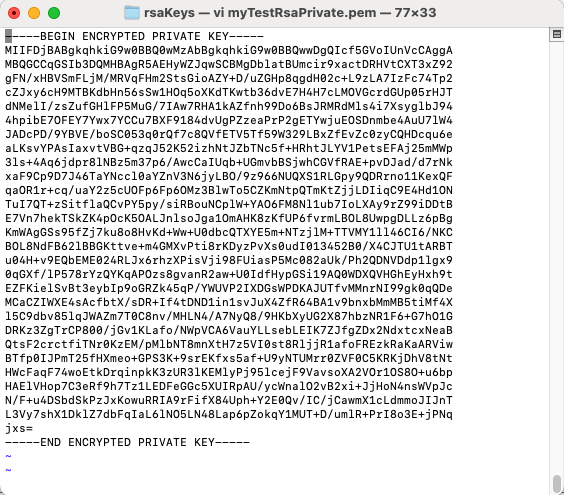
String path = "rsaKeys/myTestRsaPrivate.pem";
// Encrypt the PEM using 256-bit AES encryption.
privKey.put_Pkcs8EncryptAlg("aes256");
success = privKey.SavePkcs8EncryptedPemFile(password,path);
if (success == false) {
Log.i(TAG, privKey.lastErrorText());
return;
}
//  // We can also save the public key.
// There is no need to encrypt public keys.
CkPublicKey pubKey = new CkPublicKey();
privKey.ToPublicKey(pubKey);
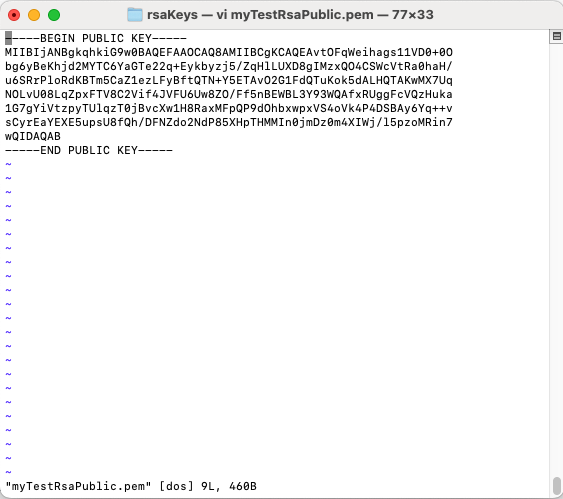
path = "rsaKeys/myTestRsaPublic.pem";
// Choose PKCS1 or PKCS8
// We'll choose PKCS8.
boolean preferPkcs1 = false;
success = pubKey.SavePemFile(preferPkcs1,path);
if (success == false) {
Log.i(TAG, pubKey.lastErrorText());
return;
}
//
// We can also save the public key.
// There is no need to encrypt public keys.
CkPublicKey pubKey = new CkPublicKey();
privKey.ToPublicKey(pubKey);
path = "rsaKeys/myTestRsaPublic.pem";
// Choose PKCS1 or PKCS8
// We'll choose PKCS8.
boolean preferPkcs1 = false;
success = pubKey.SavePemFile(preferPkcs1,path);
if (success == false) {
Log.i(TAG, pubKey.lastErrorText());
return;
}
//  Log.i(TAG, "Success.");
}
static {
System.loadLibrary("chilkat");
// Note: If the incorrect library name is passed to System.loadLibrary,
// then you will see the following error message at application startup:
//"The application <your-application-name> has stopped unexpectedly. Please try again."
}
}
Log.i(TAG, "Success.");
}
static {
System.loadLibrary("chilkat");
// Note: If the incorrect library name is passed to System.loadLibrary,
// then you will see the following error message at application startup:
//"The application <your-application-name> has stopped unexpectedly. Please try again."
}
}