Unicode C++ Requires Chilkat v11.7.0+
Unicode C++
QR Code with a Physical Size in Millimeters at a Printer DPI
See more QR Code Examples
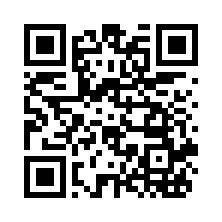
Demonstrates sizing a QR code for print. With render.units set to mm (or in, or pt) the module size is a physical length, and render.dpi says how many pixels the printer or the image has per inch. A module is always a whole number of pixels, because modules of uneven width scan badly, so the size asked for is rounded to the nearest pixel and the response reports the size actually used. The PNG records the dpi, so software that honors it prints the image at that physical size.Chilkat Unicode C++ Downloads
#include <CkJsonObjectW.h>
#include <CkFormatsW.h>
void ChilkatSample(void)
{
bool success = false;
// This example requires the Chilkat API to have been previously unlocked.
// See Global Unlock Sample for sample code.
CkJsonObjectW json;
json.UpdateString(L"payload.text",L"https://www.chilkatsoft.com/");
// Modules of 0.5 mm, for a 300 dpi printer.
json.UpdateString(L"render.units",L"mm");
json.UpdateNumber(L"render.moduleSize",L"0.5");
json.UpdateInt(L"render.dpi",300);
json.UpdateString(L"output.path",L"qa_output/qr_300dpi.png");
json.UpdateBool(L"output.overwrite",true);
json.UpdateString(L"output.return",L"none");
CkFormatsW fmt;
CkJsonObjectW jsonOut;
success = fmt.QrCode(L"generate",json,jsonOut);
if (success == false) {
wprintf(L"%s\n",fmt.lastErrorText());
return;
}
// 0.5 mm at 300 dpi is 5.9 pixels, so each module is drawn 6 pixels wide.
wprintf(L"requested module: %s pixels\n",jsonOut.stringOf(L"measurements[0].requestedPitch"));
wprintf(L"module drawn: %d pixels = %s mm\n",jsonOut.IntOf(L"measurements[0].pitch"),jsonOut.stringOf(L"measurements[0].moduleSize"));
wprintf(L"size was rounded: %d\n",jsonOut.BoolOf(L"measurements[0].pitchAdjusted"));
wprintf(L"image: %d x %d pixels\n",jsonOut.IntOf(L"measurements[0].canvasWidth"),jsonOut.IntOf(L"measurements[0].canvasHeight"));
wprintf(L"printed size: %s x %s mm\n",jsonOut.stringOf(L"measurements[0].physicalWidth"),jsonOut.stringOf(L"measurements[0].physicalHeight"));
// The image. A web page shows it pixel for pixel. Printed at 300 dpi it is 18.8 mm wide:
//  // When the exact size matters more than getting an image, requireExactPitch makes a size
// that is not a whole number of pixels a failure (noFit) instead of rounding it.
json.UpdateBool(L"render.requireExactPitch",true);
success = fmt.QrCode(L"generate",json,jsonOut);
if (success == false) {
wprintf(L"requireExactPitch: %s (%s)\n",jsonOut.stringOf(L"errors[0].code"),jsonOut.stringOf(L"errors[0].message"));
}
// Sample output:
// requested module: 5.905512 pixels
// module drawn: 6 pixels = 0.508 mm
// size was rounded: True
// image: 222 x 222 pixels
// printed size: 18.796 x 18.796 mm
// requireExactPitch: noFit (the symbol does not fit the render constraints: pitchAdjusted)
}