Unicode C++
Unicode C++
Oracle Cloud Secrets - Create or Update a Secret
See more Secrets Examples
Demonstrates how to create or update a secret stored in the Oracle Cloud Secrets.Note: This example requires Chilkat v10.1.0 or later.
Chilkat Unicode C++ Downloads
#include <CkSecretsW.h>
#include <CkJsonObjectW.h>
void ChilkatSample(void)
{
bool success = false;
// This example requires the Chilkat API to have been previously unlocked.
// See Global Unlock Sample for sample code.
// The bootstrap secret will contain the following information:
// Private Key PEM
// See following examples for setting up a bootstrap secret in memory,
// or in the local manager (Windows Credentials Manager or Apple Keychain)
// Setup Bootstrap Secret in Local Manager
// Setup Bootstrap Secret in Memory
CkSecretsW bootstrap;
// Set the location of the bootstrap secret.
// Can be "local_manager" or "memory", depending on how you setup the bootstrap secret.
// ---------------------------------------------------------------------------------------------
// If your operating system is NOT Windows or MacOS/iOS, then change "local_manager" to "memory"
// You can also, if desired, use "memory" on Windows and MacOS/iOS if your bootstrap secret was previously setup in memory.
// ---------------------------------------------------------------------------------------------
bootstrap.put_Location(L"local_manager");
// Specify the bootstrap secret to be used.
CkJsonObjectW bsId;
bsId.UpdateString(L"appName",L"oracle_bs");
bsId.UpdateString(L"service",L"Example");
bsId.UpdateString(L"username",L"Joe");
// ----------------------------------------------------
CkSecretsW secrets;
// Setup for the Oracle Cloud Secrets
secrets.put_Location(L"oracle_cloud");
success = secrets.SetBootstrapSecret(bsId,bootstrap);
if (success == false) {
wprintf(L"%s\n",secrets.lastErrorText());
return;
}
// Let's create or update a secret in the Oracle Cloud Secrets.
// (The secret is updated if it already exists.)
CkJsonObjectW json;
json.UpdateString(L"appName",L"Test");
json.UpdateString(L"service",L"Something");
json.UpdateString(L"domain",L"Xyz");
json.UpdateString(L"username",L"Abc");
// Oracle Cloud Secrets requires a lot of additional information for each API call.
// You'll need to replace the following with your values.
// Note: To learn how to find these values, go to an AI such as ChatGPT and ask (for example) "In Oracle Cloud, where do I find my master key OCID?"
json.UpdateString(L"vault_name",L"ocid1.vault.oc1.us-chicago-1.ijttzlz7aadxo.abxxeljt4gv6tgrar66i5ugffincjmp52oveht3y2zn74rgo6raz6h72qtia");
json.UpdateString(L"region",L"us-chicago-1");
json.UpdateString(L"tenancy_ocid",L"ocid1.tenancy.oc1..aaaaaaaaov6vd3xdybgvwblezx2kmgjmo3dvsuljbwpf2m27mk47kkxsa5aa");
json.UpdateString(L"user_ocid",L"ocid1.user.oc1..aaaaaaaarsn42gwcl5rvahcmt5r6aheek65z54k5nbd6gtclmqn6emkqxajq");
json.UpdateString(L"master_key_ocid",L"ocid1.key.oc1.us-chicago-1.ijttzlz7aadxo.abxyeljtfbqhl5h2velmojmm6ls77lskmc7ardpekjgw264my6fuyxmhm6xa");
// Create or update the secret.
success = secrets.UpdateSecretStr(json,L"This is the secret.");
if (success == false) {
wprintf(L"%s\n",secrets.lastErrorText());
return;
}
wprintf(L"Success.\n");
// Here you can see the secret that was created:
// 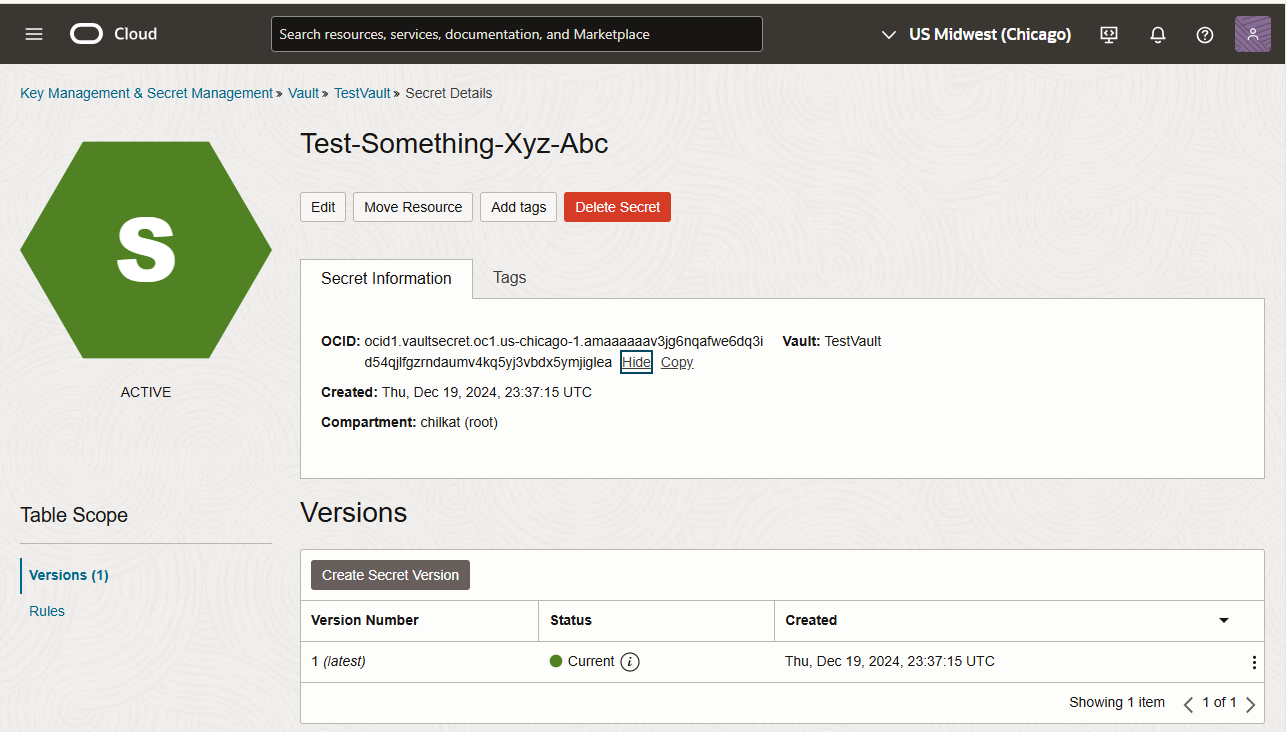 }
}