Java
Java
WhatsApp Cloud API Send Message
See more WhatsApp Examples
Demonstrates how to send a message using the WhatsApp Cloud API (Business App)Chilkat Java Downloads
import com.chilkatsoft.*;
public class ChilkatExample {
static {
try {
System.loadLibrary("chilkat");
} catch (UnsatisfiedLinkError e) {
System.err.println("Native code library failed to load.\n" + e);
System.exit(1);
}
}
public static void main(String argv[])
{
boolean success = false;
// This example requires the Chilkat API to have been previously unlocked.
// See Global Unlock Sample for sample code.
CkHttp http = new CkHttp();
// The following JSON is sent in the request body.
// {
// "messaging_product": "whatsapp",
// "to": "16302581871",
// "type": "template",
// "template": {
// "name": "hello_world",
// "language": {
// "code": "en_US"
// }
// }
// }
CkJsonObject json = new CkJsonObject();
json.UpdateString("messaging_product","whatsapp");
json.UpdateString("to","15555555555");
json.UpdateString("type","template");
json.UpdateString("template.name","hello_world");
json.UpdateString("template.language.code","en_US");
http.put_AuthToken("EAANrS5....yFB9Ma");
http.SetRequestHeader("Content-Type","application/json");
CkHttpResponse resp = new CkHttpResponse();
success = http.HttpJson("POST","https://graph.facebook.com/v18.0/111111111111111/messages",json,"application/json",resp);
if (success == false) {
System.out.println(http.lastErrorText());
return;
}
System.out.println(resp.get_StatusCode());
System.out.println(resp.bodyStr());
// Here's a screenshot of our WhatsApp test app.
// 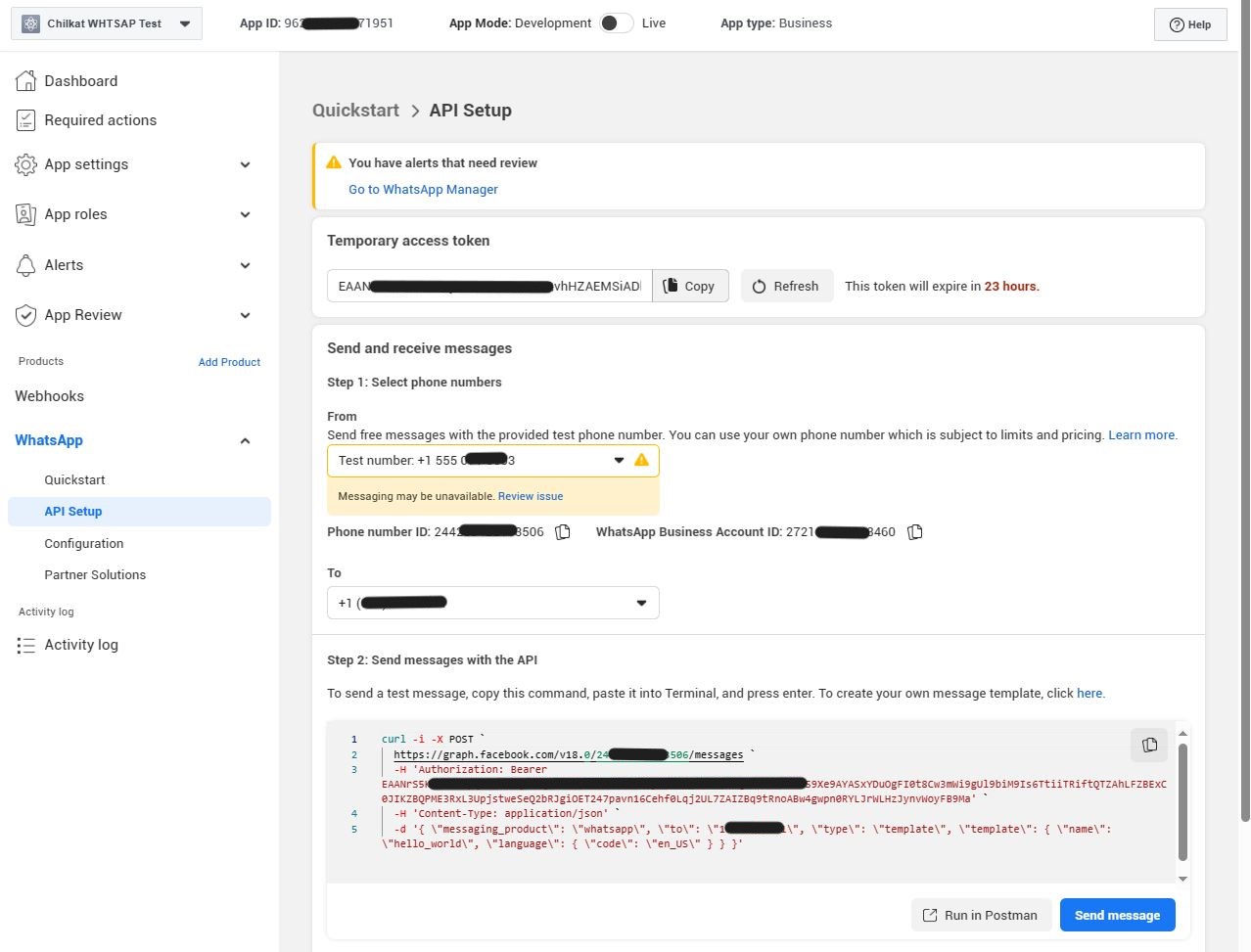 }
}
}
}