C Requires Chilkat v11.0.0+
C
Generate an RSA Key and Save to Encrypted PEM
See more RSA Examples
Demonstrates how to generate an RSA key and save to an encrypted PEM file.Chilkat C Downloads
#include <C_CkRsa.h>
#include <C_CkPrivateKey.h>
#include <C_CkPublicKey.h>
void ChilkatSample(void)
{
BOOL success;
HCkRsa rsa;
HCkPrivateKey privKey;
const char *password;
const char *path;
HCkPublicKey pubKey;
BOOL preferPkcs1;
success = FALSE;
rsa = CkRsa_Create();
// Generate a 2048-bit key.
privKey = CkPrivateKey_Create();
success = CkRsa_GenKey(rsa,2048,privKey);
if (success == FALSE) {
printf("%s\n",CkRsa_lastErrorText(rsa));
CkRsa_Dispose(rsa);
CkPrivateKey_Dispose(privKey);
return;
}
password = "secret";
// Saving to a relative path (from the current working directory of the process).
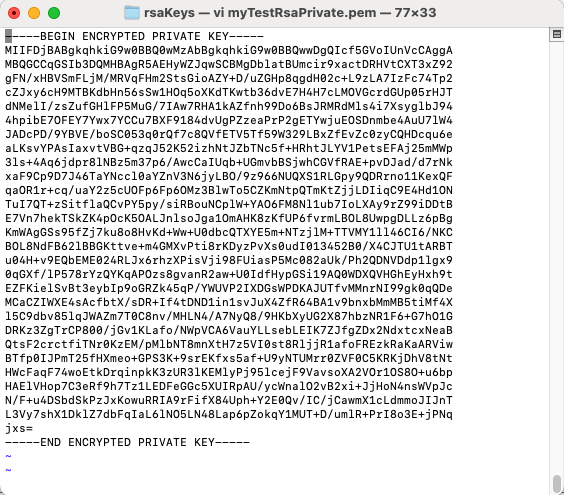
path = "rsaKeys/myTestRsaPrivate.pem";
// Encrypt the PEM using 256-bit AES encryption.
CkPrivateKey_putPkcs8EncryptAlg(privKey,"aes256");
success = CkPrivateKey_SavePkcs8EncryptedPemFile(privKey,password,path);
if (success == FALSE) {
printf("%s\n",CkPrivateKey_lastErrorText(privKey));
CkRsa_Dispose(rsa);
CkPrivateKey_Dispose(privKey);
return;
}
//  // We can also save the public key.
// There is no need to encrypt public keys.
pubKey = CkPublicKey_Create();
CkPrivateKey_ToPublicKey(privKey,pubKey);
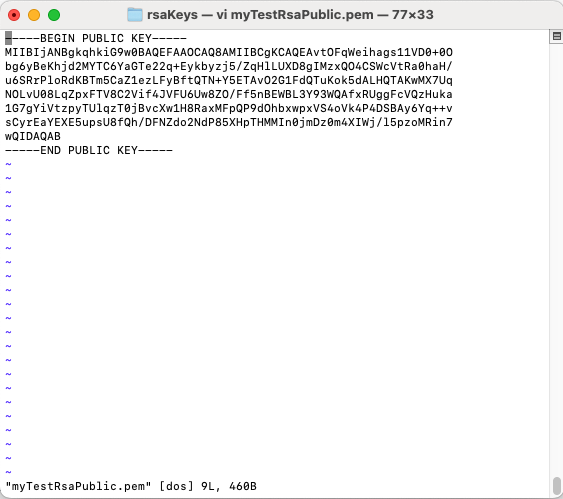
path = "rsaKeys/myTestRsaPublic.pem";
// Choose PKCS1 or PKCS8
// We'll choose PKCS8.
preferPkcs1 = FALSE;
success = CkPublicKey_SavePemFile(pubKey,preferPkcs1,path);
if (success == FALSE) {
printf("%s\n",CkPublicKey_lastErrorText(pubKey));
CkRsa_Dispose(rsa);
CkPrivateKey_Dispose(privKey);
CkPublicKey_Dispose(pubKey);
return;
}
//
// We can also save the public key.
// There is no need to encrypt public keys.
pubKey = CkPublicKey_Create();
CkPrivateKey_ToPublicKey(privKey,pubKey);
path = "rsaKeys/myTestRsaPublic.pem";
// Choose PKCS1 or PKCS8
// We'll choose PKCS8.
preferPkcs1 = FALSE;
success = CkPublicKey_SavePemFile(pubKey,preferPkcs1,path);
if (success == FALSE) {
printf("%s\n",CkPublicKey_lastErrorText(pubKey));
CkRsa_Dispose(rsa);
CkPrivateKey_Dispose(privKey);
CkPublicKey_Dispose(pubKey);
return;
}
//  printf("Success.\n");
CkRsa_Dispose(rsa);
CkPrivateKey_Dispose(privKey);
CkPublicKey_Dispose(pubKey);
}
printf("Success.\n");
CkRsa_Dispose(rsa);
CkPrivateKey_Dispose(privKey);
CkPublicKey_Dispose(pubKey);
}